Tech Team Twitter Feed

Friday, September 27, 2013

My Book Review of "Learning Articulate Storyline"

Learning Articulate StorylineLearning Articulate Storyline by Stephanie Harnett
My rating: 4 of 5 stars

Don’t think that just because you’ve been in an industry for 15 years or so and pride yourself on learning new tools all the time that you can’t learn something new! I’ve programmed and taught people how to use Storyline, and yet this book taught me things I had not yet found or had the opportunity to experience yet. Ms. Harnett does a great job in presenting information that individuals at any skill level can follow and learn from. The structure of presenting and explaining information and having “Follow along” exercises reinforces the content presented. The Appendix section covers a lot of more advanced features and handy guidelines to follow which makes for a handy reference tool. I would have appreciated a greater attention to advanced JavaScript techniques that can be used in conjunction with Storyline variables. So what are some of the cool things that you can learn from this book? How about typing in “=lorem()” into a text placeholder in order to have lorem ipsum text entered. Cool! Did you know that when you edit a character, you are only editing that specific instance of the character? I didn’t realize that. Speaking of characters, I learned about adding objects such as buttons, audio and video to the various “states” of those characters. I was always under this impression a “state” was simply a difference of the character not adding additional objects to the character. Cool! I’m purchasing this book for my team members – you should do the same.

View all my reviews

"Learning Articulate Storyline" is published by Packt Pub.  The link to this book on the publisher's website is http://www.packtpub.com/learning-articulate-storyline/book.  I downloaded the book for reading on my iPad. I used iBooks which was a great way to read and interact with the software on my laptop.  I was able to take notes, highlight sections, bookmark multiple pages for further review and leave my laptop screen free to work with Articulate Storyline.

Thursday, September 19, 2013

Creating a Branching Question - Adaptive Type Using Raptivity

This blog on Raptivity's blog site discusses using Raptivity for Adaptive Knowledge Check questions.  There is an example included.

Wednesday, September 18, 2013

What I'm reading now

I'm reading "Learning Articulate Storyline" by Stephanie Harnett.  Check it out at http://bit.ly/12I6Mih 

Friday, September 6, 2013

MP3 Audio on IE8 Workaround

Anyone adding audio on earlier versions of Microsoft Internet Explorer, such as IE8, you doubtlessly aware of some of the pit-falls with placing/embedding MP3 audio on an HTML page, running on IE8. Sure, you can embed the MP3 file easily enough; but to play it, users will need to 1) have a 'helper' plug-in already installed (such as Quicktime Player or other); or 2) download such a helper plug-in.

It works, but let's be honest: it's not the prettiest (or most efficient) way of allowing your audience to play the media file associated with your page.

On the other hand, if we were able to code this page using HTML5's <audio> tag, everything would go swimmingly. Alas, as you know, we are not able to use HTML5 coding in IE8.

So what next? Certainly, there are also code libraries one can 'Google' that promise to 'shoehorn' MP3 audio and a player within the confines of IE8's digital limbo. As always, some initial learning (of the new code) and testing (the new code on your target platform) will be needed with using one of the remedies. Aside from these, let's look at a solution possibly closer to 'home' for us developers.

This particular solution utilizes built-in tools inside Dreamweaver, so you will need to have access to that software and be familiar with how to use (in general), to make this fix work. I don't suggest Dreamweaver is the penultimate way to code, but it works well and just happens to be the coding IDE I used for a particular project that needed such audio interactivity...without the overhead of an additional plug-in (well, sorta...more on that in a moment).

Additionally, access to media converter is needed for this fix. Yes, we are going to change the MP3 filetype to something else.

"But, isn't that cheating?", you may ask. Yes...yes, it is. However, the important part is that visitors to our webpage be able to play the audio seamlessly with our 'fixes' working invisibly in the background. Like magic.

Except, unlike magic, I will tell you the secrets and inner-workings of my tricks, so that you might benefit from my trial-error-sessions. So, let's get started. :)

  1. Convert MP3 audio to FLV
    Using Adobe Media Encoder (or any similar software), convert the MP3 audio to FLV audio-only files.  Use settings similar to these:
    Click on the image to enlarge
  2. Insert new FLV in Dreamweaver
    Use these setting:
    Click on the image to enlarge
    We want this to 'invisible', so set pixels to '0,0' and select the 'Auto play' checkbox. Why? While, we can either chose to have the media play automatically once the user opens our HTML page, we are going to add Javascript code to allow the user to play our audio on a click event.

    Conversely, instead of creating a clickable object - such as link, button, or other - we could simply use the FLV player controls, provided by Dreamweaver. However, my particular project needed audio to play only on the click of a specific image, not a 'Play' button (as is the case with the FLV player controls.

    Be sure to note which player skin you choose. While the actual player will not matter in this particular workaround (since we are setting the dimensions to zero), you will need to include this SWF file in the upload to wherever your final HTML files are housed or hosted, so that the audio will play.  And speaking of files needed for upload...
  3. Note the additional JavaScript code Dreamweaver creates
    To facilite this new insertion of a FLV/SWF object, Dreamweaver automatically adds a new JS page ('swfobject_modified.js') and inserts a reference link to it, inside your HTML code. While you can experiment and test with whether this new JavaScript code is needed by our new audio (I don't think it is), let's leave it for now, to continue with our (mostly) hands-off approach.
  4. Create a <div> 'container'
    Now, we are going to contain our new FLV player code inside a <div> with a specifi <id> element.  We do so to be able to manipulate this container code - and thereby all the FLV player code inside it - via Javascript function. Give the <id> a name you can easily recall for creation of the JS function in a moment.

    
    <div id="myMP3" style="display:none">
    <object classid="clsid:D27CDB6E-AE6D-11cf-96B8-444553540000" width="0" height="0" id="FLVPlayer">


    ... then after new code ...

    
        <!--[if !IE]>-->
      </object>
      <!--<![endif]-->
    </object>
    </div>


    Note that we have given our <div> a specific style attribute, setting display to 'none'. Our next step will illustrate why doing so is important.
  5. Add button or other object to Play Audio
    To clarity, we will use a <button> object, however any clickable item or other HTML object that invoke a JavaScript function can be used.
    You can place the button code anywhere inside the <body> tags, either before or after all of the code, but be sure to place it outside of the <div> we just created.

    
    <button>PLAY</button>


  6. Create JavaScript function
    Now the secret sauce to our workaround. We will create a simple function to change our <div> display from "none" to "block". While several schools of thought debate where the best place to put JavaScript inside an HTML (...and even many that decry putting any JS within HTML code, maintaining that it must be placed outside the code, in it's own file for maximum efficacy...), we will place our new JS code, at the 'bottom' of the HTML code, just before the last <body> tag.

    
    <script>
    function playMP3(){ 
     document.getElementById("myMP3").style.display = "block"; 
    }
    </script>


    This enables all of the code inside our custom <div> to not only become visible on the page (*if we could see any of it; remember that we set the dimensions to zero), but it also allows the HTML page to make the code 'active'. Once active, our FLV code plays the audio file, because we set it to 'auto play', in our earlier step.
  7. Invoke JS function
    Using our button, we now fire off the new JavaScript function, allowing our audio to play.

    
    <button onclick="javascript:playMP3();">PLAY</button>


That's it. Our audio should now play when the user clicks the play button...even in IE8. Sure: this workaround doesn't use the MP3 filetype, but(!) rather we use Dreamweaver's existing FLV player to cheat this shortcoming, and to give IE8 something it knows what to do with: FLV/SWF files.

Of course, another option - and, perhaps one just as quick - would be to create a custom Flash (SWF) interaction, that plays MP3 audio when triggered (i.e., clicked, whatever). Certainly, this is an acceptable pipeline to consider, especially if you have Adobe Flash IDE.

This SWF could also be controlled via HTML/JavaScript (outside of the SWF itself). To do so, one would also need to include ActionScript code within the Flash environment that exposed its Flashvars to JavaScript commands.

However, this is exactly what our Dreamweaver shortcut does: it creates a SWF for us: one that houses our media (the new FLV) and is controlled inside the HTML...only we didn't have to (additionally) open up and code within the Flash IDE. Use the extra time to sit back, relax, and have a tasty bev.

Cheers! :)

Thursday, September 5, 2013

Quickfix & Browser Discussion

In my blog article, "Fun-fun-FUNctions...with IE8", I offer a quick-fix for developers having JavaScript issues when creating content for Windows Internet Explorer 8 browser. While both the example and the workaround code is relative simple, there is a larger discussion at work here: browser compatibility.

Certainly, we developers may have a favorite or preferred browser to develop for, but in the end, our code must be malleable and flexible, able to 'live' inside whatever browser or environment our client(s) require.

Because our Team has many different clients, all with different browser/environment needs, we have become very proficient in the (at-times-not-so-simple) task of just 'making it [the project] work'.

Sometimes the solution is a quick-fix, like the in the article above; sometimes the solution is more involved and may require a complete re-writing of code...or (if we get lucky,) tracking down, learning, and using a new code-set or development tool.

Pay no attention to that
JS code behind the HTML page!
We make the magic happen, across many different platforms and settings. Yet, unlike that famed and faraway 'Wizard', we do not mind showing others what happens 'behind the curtain'.  We like to share and hope to learn from others that share with us, as well.

Feel free to share your tips, tricks, and workarounds with us so that we can all learn from each other...especially as more and more of us begin developing projects across multiple browsers. Tweet us: @mas_edev, @eLearnDevGeek, @damoEdev, or @gardelearndev.

Cheers!

Wednesday, June 19, 2013

Highlights From mLearnCon 2013

main stage at mLearnCon 2013
Despite being a "first-timer" to the Mobile Learning Conference and Expo (or "mLearnCon"), I thoroughly enjoyed my time.  Now that I have not only successfully attended the conference, but also given two presentations, I believe I qualify as a "seasoned veteran".  Maybe.  :)

So, with that in mind, here are some brief highlights from my interaction at mLearnCon 2013 (in no certain order).

Conference Backchannel
mLearnCon has created a wonderful way to follow the events, information, and thoughts of the presenters, vendors, and general attendees.  Fueled by attendees' Twitter hashtags, the backchannel provides great insight to the constantly-changing technological flavor of the conference.
This is further enhanced by Hashcaster (http://mlearncon.hashcaster.com/), "a real-time Twitter curation platform setup by your mLearnCon organizer to help you find the best content tweeted at mLearnCon and to help you easily identify and connect with top influencers."

mLearnCon2013 presentation #1
Presentation #1
Despite occurring immediately after lunch - making both the speaker and the audience slightly lethargic - my presentation was a success.
Attendees to "B.Y.O.L.: Touch & GO: Quickly Enhancing Lectora for Gesture-based Interaction" were able to get some technical tips on specific projects they had in mind.
Discussion continued even long after the presentation was over (...my apologies to the person presenting directly after me..!), as an attendee and I traded notes on 3D software and how to best implement JavaScript code for gestures in Lectora and other HTML5 projects.

Presentation #2
With a great turnout and good audience participation/interactions, "Nuff Said: Tips and Tricks from Digital Comics to Breathe Life into Your HTML5" went smashingly.
Several Tweets were fired off that focused on various aspects and info nuggets from this  presentation ... and another long discussion after the end made this event a great one to be part of.
Thanks to everyone that came out and contributed to the discussion.  You all rock!

And finally...
artsy...AND mysterious
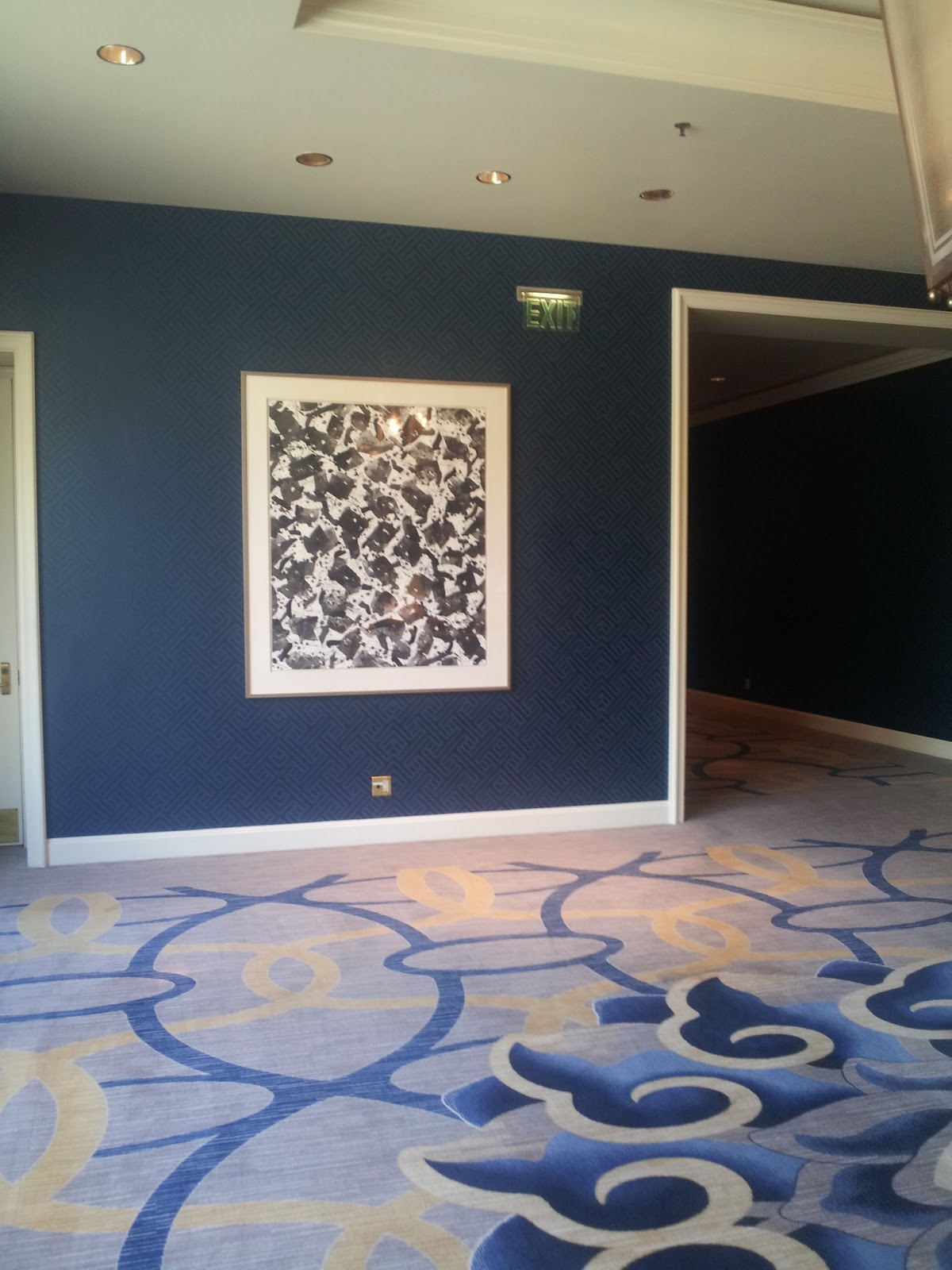
Hotel paintings that make me think they're really QR codes
I still think it's a code...

Tuesday, April 16, 2013

Articulate Storyline: OK - I'm on the bandwagon too!


Articulate Storyline stormed onto the online learning development scene last summer.  I’m not one to believe based on massive hype on social media surrounding a product rollout.  In fact, I tried real hard to not even want to use it based on my previous experience with Articulate Presenter.  I’m a programmer but have a degree in Secondary Education – mathematics.  I feel there is a definite difference between programming and being an instructional designer.  In my opinion, programs like Articulate and Adobe Presenter are really made for an instructional designer with great PowerPoint skills.

Nonetheless, I purchased several licenses last summer – one for an ISD and one for me.  The ISD never had time to try it out and I only gave it a cursory review.  Because I did not really have a project in mind so my evaluation was less than stellar.  In fact, I didn’t even really do much until the content and requirements for a project screamed Storyline.  I relented programmed the prototype lesson and was ecstatic with the results. Bandwagon, here I come.

I use a variety of tools to program online and mobile learning – Lectora, Rapid Intake, Captivate, SmartBuilder, and Dreamweaver using jQuery mobile. I try to use reusable Flash interactions whenever I can.  I believe in incorporating Unity based games and movies as required by the content.   Avatars are a great way to imbue personalization without getting too personal and the right amount of narration greatly aids the instructional value for individuals.

After creating my lesson, I saw that Storyline is really a great merge of the tools mentioned above.  It allows an ISD to create and yet gives programmers great ability to “pull back the covers” so to speak and enhance or improve the quality of instruction.

The interface is a familiar one to many.  It looks like Presenter and Captivate mixed together.  It add in the triggers and actions you would see in Lectora, and it’s output, while still Presenter-esque, has a SmartBuilder feel to it – clean, brisk and edgy.  There is something for any level of programming experience. 

For those who are not programmers but want to make things happen, triggers offer a fantastic method to create numerous types of interactions. Programmers have also been taken care of.  You can write your own JavaScript and the core JavaScript methods supporting Storyline are available.  You can access those methods using the “Execute JavaScript” triggers. Variable are also accessible using player.SetVar() and player.GetVar().  There is a great article in the support center discussing this. http://www.articulate.com/support/kb_article.php?product=st1&id=llwes8cn32vg
“That Learning Company” has compiled a nice listing of things you can do with JavaScript. Check it out at:  http://thatelearningcompany.wordpress.com/2012/11/09/usingjavascriptinarticulatestoryline/

I’m not a graphics designer.  I count on others to do that for me.  So having Avatar characters available in the quantity and quality Storyline provides is important to me.  If you are like me, I’m sure you will agree.  Add in the multiple expressions, poses, and direction facing available for each character and you have a winning set of avatars for any interaction – all at no additional charge.  Then Storyline throws in the different states for each character.  Combine the different states with triggers or timeline events and you can make you avatar change expressions or poses.  Once again – all with no programming needed.  Want to crop an avatar character so you only need the shoulder and head – no problem.  This is real power for those who are neither graphically inclined nor able to program Flash for their interactions. 

I said earlier that the content for my project screamed Storyline.  It did – loud enough for me to try it out again.  I will now make Storyline an active part of my programming toolkit. Not that is will be the only tool I use, but it will definitely be a tool that can be used.

Friday, April 12, 2013

Which is better - jQuery Mobile or Sencha Touch ?


Mobile created with jQuery Mobile
Sure.  Despite maintaining a level of professional agnosticism (the right 'tool' for the job is the one that works at the time), I have my own preferences on which code to use...doesn't everyone?  But which one - jQuery Mobile or Sencha Touch - is "better" for creating content for mobile apps?

DZone's Mitch Pronschinske offers his take on which is best, based on a group discussion / comparison of the two frameworks, in his entry, "Cage Match! Sencha Touch vs. jQuery Mobile" (http://css.dzone.com/articles/sencha-touch-v-jquery-mobile).
Mobile created with Sencha Touch

While there are no "spoiler alerts" needed, Pronschinske warns readers that the end result (of which one is better) is subjective, at best.  However, he does offer vast insite and discussion of the two frameworks, that goes beyond the simple, 'surface scratching' most websites provide.

Go on...go read it and get more information about the nuts and bolts of these code-sets.  Then, let us know what you decide is best !

Thursday, October 11, 2012

How’d they do it? Deconstructing Google Cultural Institute


This morning I stumbled across what appeared to be a sponsored tweet from Google.
Discover 42 new online historical exhibits telling the stories of the 20th century at google.com/culturalinstit…. Details: goo.gl/LHMOX


I like history so I followed the link.  Am I glad I did. What I found was an amazingly well done site full of enriching content.  Maybe more importantly, considering my background, it was cool.  Within minutes I was browsing the site on the Mac, the iPad, and finally on my Galaxy III (Android OS).  The site delivered a consistent experience on each device.

As an eLearning developer looking for the best tools and practices for both traditional and mobile web I was very intrigued by An HTML5 site, incorporating responsive design and images that that works across multiple platforms and devices. So how'd they do it?  I was determined to find out, or at least get some more insight.

First Things First...

On initial inspection they seem to have actually hidden things pretty well.  Right-clicking to view the source is disabled, so I had to use Chrome's Developer Tools to view the source.  I copied and pasted into a new document in Dreamweaver and then used the "Apply Source Formatting" command to make it nice and neat. There appeared to be only a few linked JavaScript files.  YouTube API, JS API, and Plus One API.  Most everything else seems to be behind the scenes written on the fly. I did take a quick look at two of the JavaScript files but as they had been minimized (extra spaces removed to reduce file size) anything meaning full was going to take a good deal of time to dig up.


Viewing the document in Design View did not provide the results I had expected.  I was presented with a few division (DIV) tags but the majority of the document was populated by list items (<LI>) tags. Search engines use a number of things including header, division, and list item tags to discern the structure of information on a page.  It was as surprising to find the content laid out in such a format, as it was to find no supporting CSS styles to define how this information should appear.

Digger Deeper

Take for example the list item highlighted in the first image below. It defines the piece of content that can be seen in the lower right hand corner of he homepage and in the second image below.  Where is the graphical information?  It's not on the page so it must be in the CSS, right?

No. The first clue can be found in the class the list item uses.  It's empty.  Therefore there is no clear tie from this list item to anything in the CSS.  To confirm this I searched the CSS for anything that might be associated with "Anne Frank House". A quick look through the 4800 line document did not appear to even turn up anything that defined how ANY list item should appear, let alone this specific one.


Flip, Switch, Repeat...

Since I was not getting very far in my investigation using Dreamweaver, I decided to switch over to Chrome Developer Tools.


For anyone not familiar, Chrome Developer Tools is a built in piece of the browser that among other things let you view live code on a page. Dynamic elements or scripts activated as the page is rendered will be visible here.  Moussing over an element in the code view will highlight the same element in the browser window. It even displays what CSS descriptor is tied to selected item.

Using this method I drilled down to the <DIV> tag associated with my example from above.  Yes, that is correct - <DIV> tag.  The list item in the static html appeared to be describing the "Anne Frank House" graphic, as I could find no other reference to it.

Now I seemed to be getting some answers. The list item I initial saw when viewing the source was now defined on the live page in a much more complex fashion seen below.


Hints and Allogations...

Based on my discovery so far It's my best guess that the scripts used on the page utilize the basic structure found in the static <DIV>, <UL>, and <LI> item tags as a data source for formatting content to a specific browser and size. For further evidence of this, focus on the highlighted section in the image above.  Now not only do we have a CSS class associated with the <DIV> container, we also have information that defines the background image used in the style attribute of the <DIV>.

I now had some pretty solid information to confirm what I had already believed; the site is using responsive design to tailor how the page appears across browsers, platforms and devices.  What about responsive images?  Images that are delivered to the browser to based on the available size.  I also had some good information on this as well.

I have read up on two methods of responsive images.  One uses CSS and media queries.  A style sheet is attached to the page based on different minimum and maximum sizes of the browser. When the page loads the correct style sheet is applied.  The images delivered through these style sheets are sized to cover a range. Scaling the image covers the difference.

The other method I have seen uses PHP to return an image.  Instead of your typical source URL for an image it would be to a PHP script to determine the most appropriate image to deliver.  You toss in some additional parameters on the query string and the server side script sends you back the correct image.  Even these I don't believe are exact. It seems to me a great deal of processing power would be required to generate and exact image size you needed on the fly.  If anyone would have processing power to spare it just might be Google.

A Test of Wills

What method is being used to return the background in the "Anne Frank" example?  It might be a little of both as I did see some signs of media queries being used in the CSS.  To get a better idea I devised a test.  With the Developer Tools open I sized my browser to about a quarter of the screen size.  I re-selected the <DIV> that defined the example I had been using.  As I mentioned this displays the associated CSS of this element.  I then right clicked on the linked assigned to the URL attribute and had it open in a new tab.


This returned the rather small image seen below.  I then saved the file and looked at it properties; 255 pixels wide and 96 pixels high with a files size of just 12kb.  I then opened the browser window up as large as I could and repeated the process. This produced and image 511 pixels wide and 193 pixels high with a file size of 41kb.  Not only was the image appearing larger it also had a larger files size.  Though I am not certain Google is using PHP as in the second responsive image method I described it does appear they are performing something similar.


The Score...

Though I don't quite know the exact details of how Google has pulled off the site, I do have a far better understanding of some of the methods they have used.  This understanding has lead me to wonder about other areas.  How have they integrated the horizontal click and drag, horizontal mouse wheel scrolling and replicated the functionality with gestures on mobile devices?

Be sure to check back and see what I have discovered.

Did I miss something?  Do you have a different take?  I would love to hear from you.

Sunday, October 7, 2012

Philly Download – My biggest takeaways from mLearning DevCon 2012


Philly Download – My biggest takeaways from mLearning DevCon 2012

I spent the better part of the past week in Philadelphia attending mLearning DevCon 2012 with Greg Gardner and Michael Sheyahshe.  Below is some of the great stuff I picked up on.  

Titanium Studio is  a free (depending on the licensing you chose) mobile development tool for creating content across multiple platforms – Very much like FlashBuilder.  My comparision is both a compliment and an insult.  It's complex, but then again a software package that publishes "native" apps to IOS, Android, Blackberry and WebOS was not going to be simple.  In addition to having a similar interface to FlashBuilder the code is very ActionScript like. So far it does not have the complexity of Sencha or the unfamiliar aspects of jQuery.  


I have been trying to get it up and running and have run into some snags. I contacted Jeff Batt of Rapid Intake who gave the presentation.  He provided a link from Lynda.com to help get me up and running.  I have only just started looking it over but seems like it will be a big help.
Before you can get to the tutorial though you will need to install.  That can be problematic.  There were a ton of updates to install before you could even get rolling.

Another cool tool I heard about at eLearningDevCon.  It's an HTML5 animation tool from Adobe that uses an interface a great deal like After Effects.  It does provide for interactivity, but just based on the whole timeline set up of the interface, it's an animation tool, not a heavy programming tool.  The best part is it's FREE! At least to try out.  I was able to pull up something at the conference about a licensing deal where if you signup now for the current version, that license will transfer over when a more official version come out.  Unfortunately I have not been able to navigate my way back.  All I can currently find is Edge available on Adobe's Creative Cloud.  You will need an Adobe ID to sign in.


This is a cool plug-in for photoshop.  I don't see as much use for this but, I think it could be very useful for proof of concept and quick prototyping.  Kwik will turn a photoshop document into a mobile app, including events and gestures.  To me it's biggest strength is also it's biggest weakness - it's a PSD.  I think it's going to produce large files.  That said I have not had a chance to look at it very well.  You can get a free version that will support projects up to 6 pages.  Thanks to Orlando Rivera (http://digitalsummit.tv/) for cluing me in on this one.


A more powerful, easier to use SCORM?  That's an idea I can get behind. This one might have the biggest implications but so far as I can tell it's also the most nebulous.  Tin Can API is the newest flavor of SCORM.  They did talk a lot about what it can do and the kind of things you can track now but both the keynote and the hands on sessions were light on "this is how you do it".  To me the idea of SCORM where you do not have to be connected to the LMS is pretty cool.  You can turn almost anything into something trackable.  Looks like they are using "activities" as the basis now.  I don't know how many action words they have set up but its based on things like learned, attended and that sort of thing.

I was able to learn a bit more about the API from the site but I am still digging into the details.


I also got my reeducation in mobile video courtesy of Nick Floro (http://nickfloro.com/). Biggest takeaway there?  That is was long overdue.

The low key conference was very interesting.  I learned a great deal .  Not so much actual techniques but just whats out there and tools I was not aware of.  Thanks so much to Jason Bickle, Rapid Intake, and all of the sponsors (including ICF) for putting on a very educational week.

Monday, October 1, 2012

Adventures at MLDC2012

mLearning DevCon 2012 (http://www.mlearningdevcon.com), happening in Philadephia, PA, October 2-5, 2012, is sure to be an exciting event this year with many great topics and speakers.  As we close on the final hours before the big event, ICF will be well-represented with three speakers and four topics.

Greg Gardner will present two separate topics:
Mike Raines will present:
Michael Sheyahshe (that's me!) will present on:
Here's what you can expect to see with my 'Nuff Said' presentation topic:
  • Stan Lee (well...not 'in the flesh', as it were...)
  • Print Comics
  • Digital Comics
  • Comic Book 'Language'
  • Theoretical Ideas of Visual Rhetoric/Presentation
  • Comic Book 'Apps'
  • The Hulk !
  • The Android Logo (heh)
  • Real-World HTML5 Examples
  • JavaScript/jQuery Code
  • Advanced Online Examples
  • ...and so much more !

Be sure to join us at MLDC2012, if possible.  You can also follow our Philly adventures on Twitter: @mas_edev, @eLearnDevGeek, & @gardelearndev.  Excelsior !

Wednesday, September 26, 2012

Changing the look and feel of mLearning Studio output

Rapid Intake mLearning Studio is powerful cross-platform mobile learning content authoring platform.  As of December 2011, it has four base built-in course templates for look-and-feel and four different page templates.  Since the output is in html5, great power is provided to programmers by making the CSS available for modification. Understanding what to change and how to do that can be a bit of a mystery though.  Using CSS you can modify the look and feel of the finished product.  This significantly enhances the presentations you can provide for your clients.  Next week, I will be giving a presentation at mLearningDevCon on this topic.  After the conference materials will be posted for viewing.

You can visit the conference web site at http://mlearningdevcon.com or my "Insights" page on ICF's corporate site at http://www.icfi.com/insights/presentations/2012/how-to-skin-mlearning-content-your-own-css

Tuesday, September 25, 2012

iBooks Author - what do you want to know?

I am giving a presentation on Oct 5 at mLearningDevCon in Philadelphia called "Creating iBooks Content for iPad".  I know what I want to present but more importantly, what would you expect or want to learn from a presentation like this?

Monday, September 24, 2012

Four mobile learning presentations

After "pulling technological rabbits out hats", "leaping tall requirements documents", and "turning back timelines" in order to provide the highest quality online and mobile web products for our clients what else has this Tech Team been up to?

A-conferencing we go, a-conferencing we go…..that's right, after giving 12 presentations at two national conferences  and two nationally available webcasts already this year, the Tech Team is back at it. 

Mike Raines, Michael Sheyahshe and Greg Gardner will be speaking at mLearningDevCon Oct 2-5 in Philadelphia.  We will be giving the following four presentations:
  1. Creating iBooks Content for iPad – Greg Gardner
  2. 'Nuff Said: Tips & Tricks from Digital Comics to Breathe Life into Your HTML5 mLearning – Michael Sheyahshe
  3. A "Flash" of Freshness: Repurposing Existing Flash Content for Use in Mobile Development – Mike Raines
  4. How to Skin mLearning Content with Your Own CSS – Greg Gardner
Greg will also be leading a mLearning Strategies roundtable session.
 
ICF has posted a web page for you to review the presentations:

http://www.icfi.com/events/conferences-and-trade-shows/2012/10/mlearning-devcon-2012 

You can also link to this page from the Training and Technical Assistance and Organizational Learning and Performance pages on the ICF web site in the Related Events sections of those pages.

ICF, the Tech Team and mLearningDevCon will use social media to announce what we are doing.

Feel free to connect with us at any of these sites.

Twitter accounts to follow:@ICFI, @gardelearndev, @eLearnDevGeek, @mas_edev , @mLearningdevcon, and #MLDC2012
Facebook – http://www.facebook.com/ICFINternational/  and  http://www.facebook.com/mLearningDevCon
LinkedIn – http://www.linkedin.com/company/icf-international/
Google+ - https://plus.google.com/117972905686513925698/posts
Conference Web site - http://mlearningdevcon.com/